|
4
|
Open ezEdit.
|
|
5
|
|
6
|
|
a
|
From the SharePoint list, select Edit Web Part.
|
|
b
|
From the Layout section, click Hidden.
|

Figure 3. 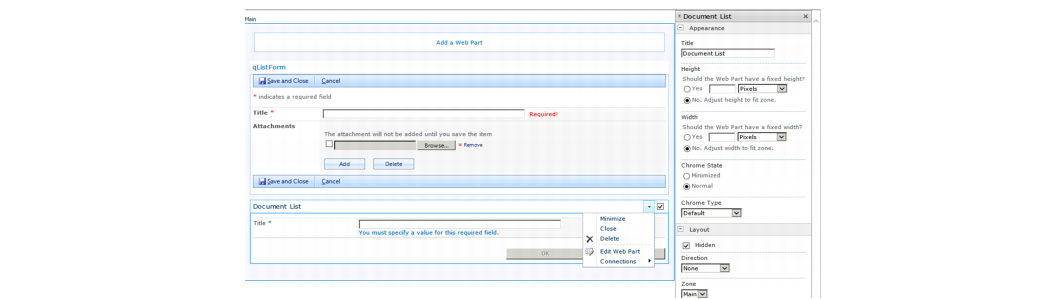 Edit Web Part
Edit Web Part|
8
|
Click Stop Editing from the SharePoint ribbon.
|
You are returned to the list in SharePoint. When you click Add new item, the QuickApps qListForm opens.